Starter
$49 /month
5 new clients a month
Extra clients $15 each

Send one link with your name on it. Your client signs, connects their accounts and you start work. No passwords in texts. No more “did you add us yet?” emails.
No passwords shared. English or Spanish.
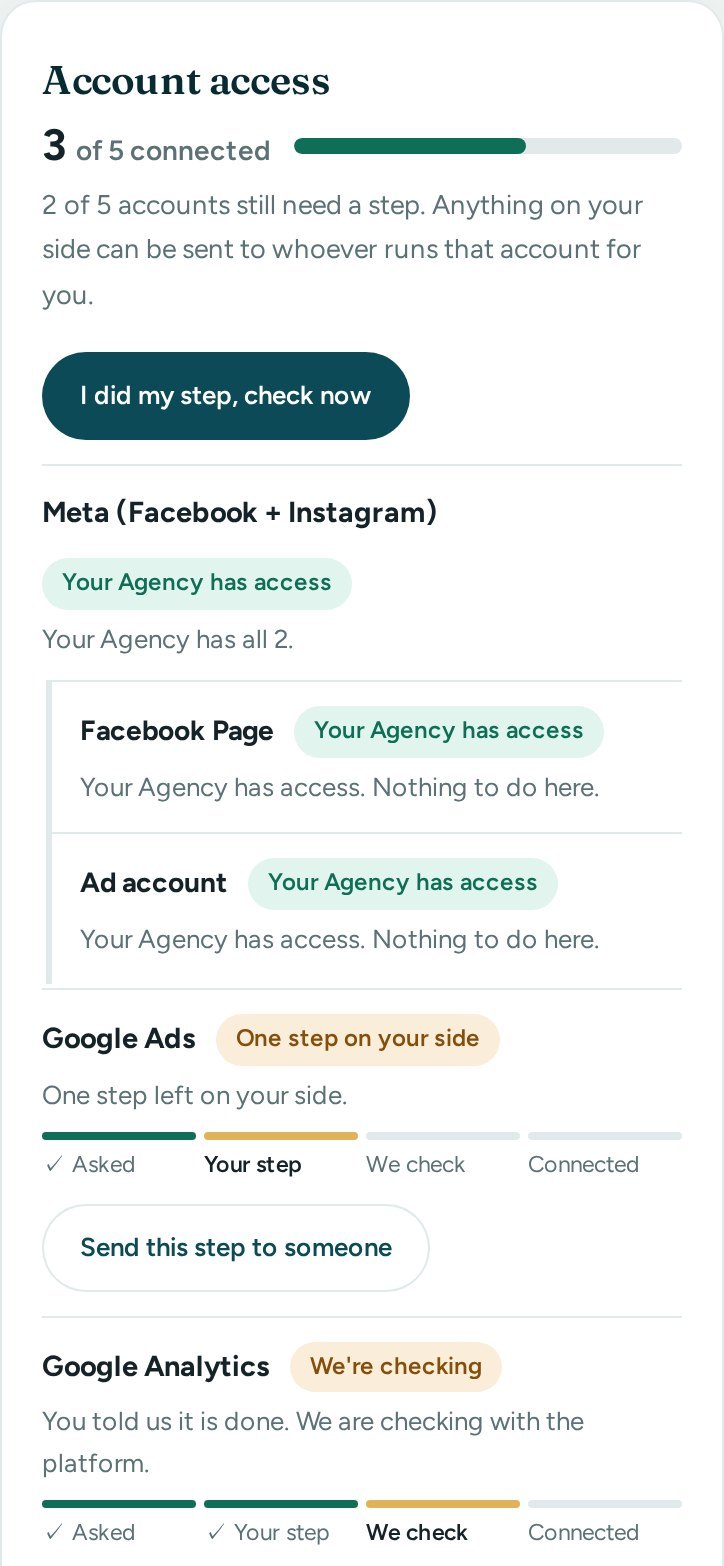
The client signed Monday. It is Friday and you still cannot get into their ad account. Someone texted a password, someone added the wrong email, and the start date just moved. Now picture one page. You always know who is waiting on what.
Your name, logo and colors, plus the account IDs your clients will add.
Choose what a client does: your questions, your agreement, their accounts. Start from a template.
One private link with your brand on it. Nothing to install.
Your client follows the steps for each platform. You see each one come in.
Real pages from the product. The agency and the client are examples; nobody here is a real customer.
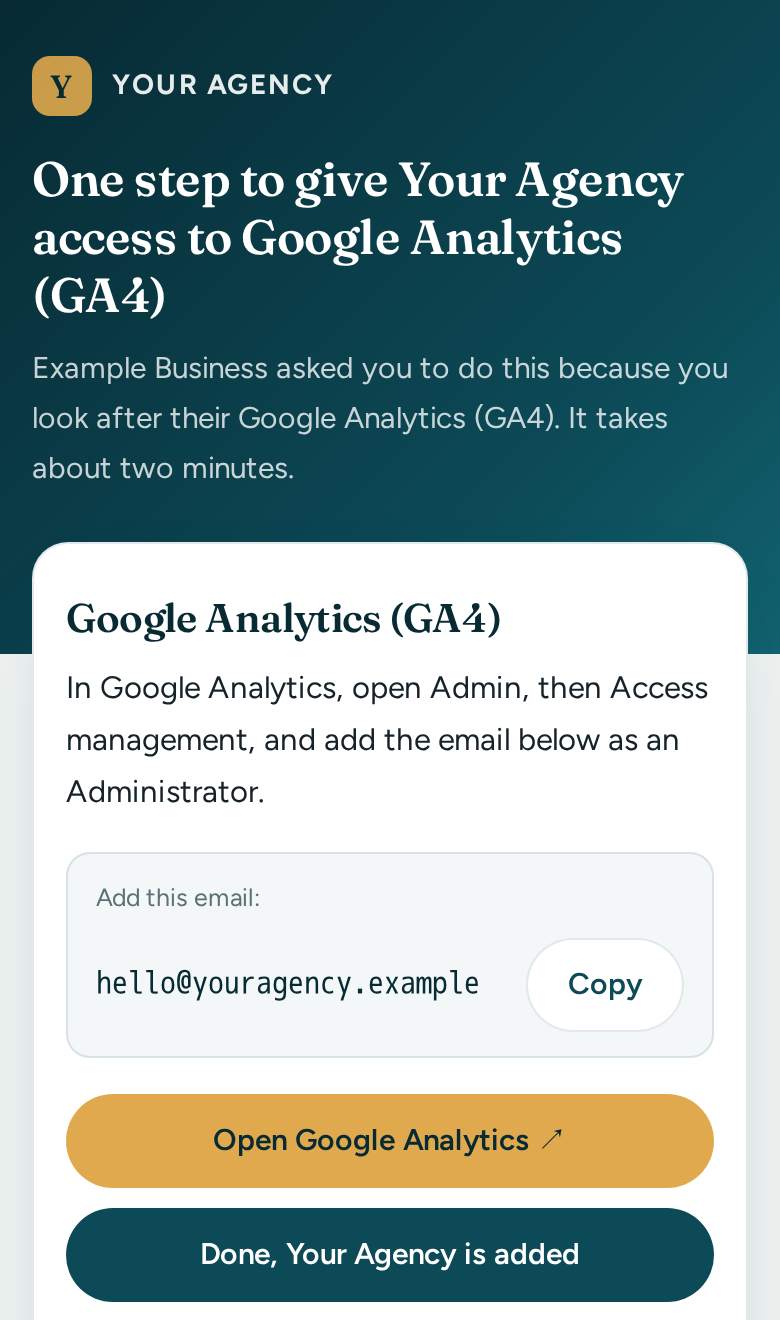
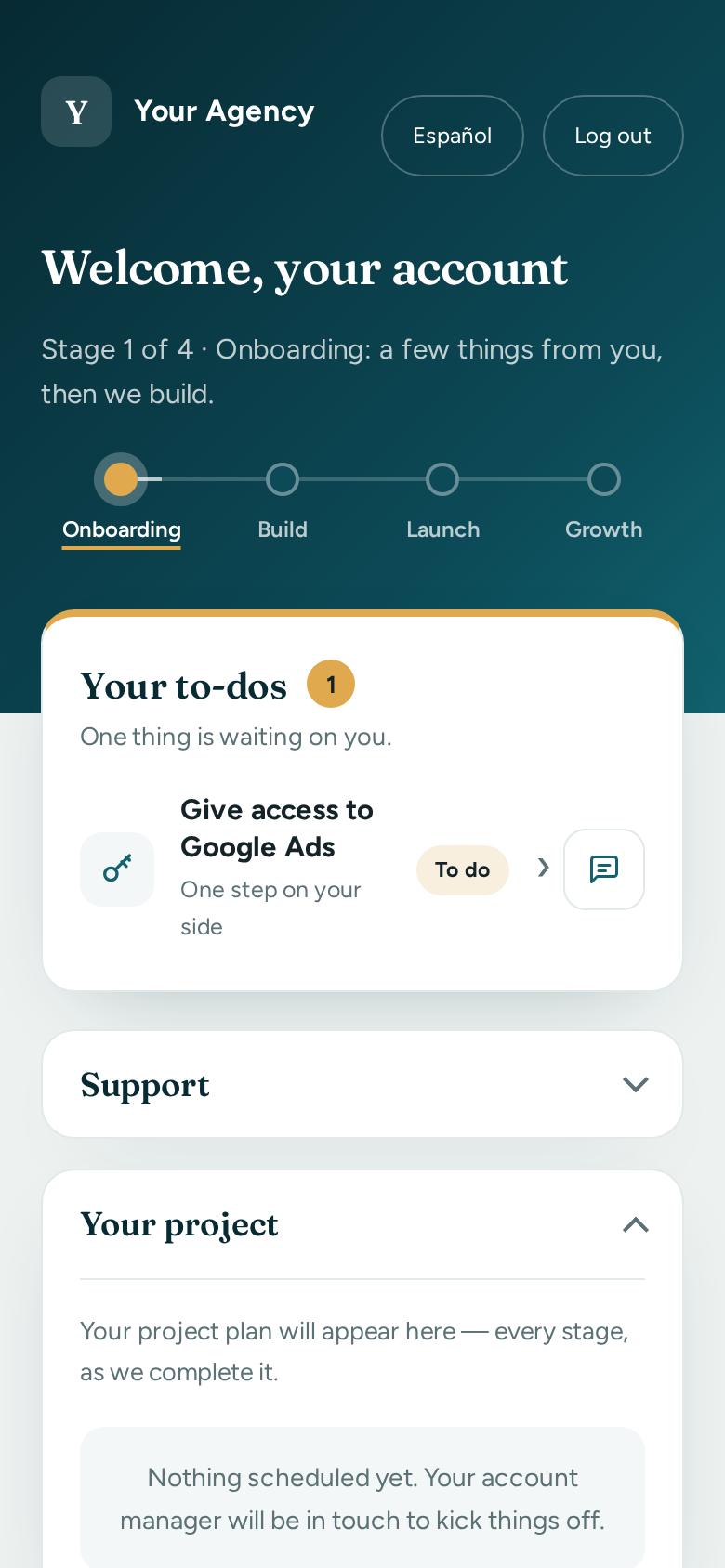
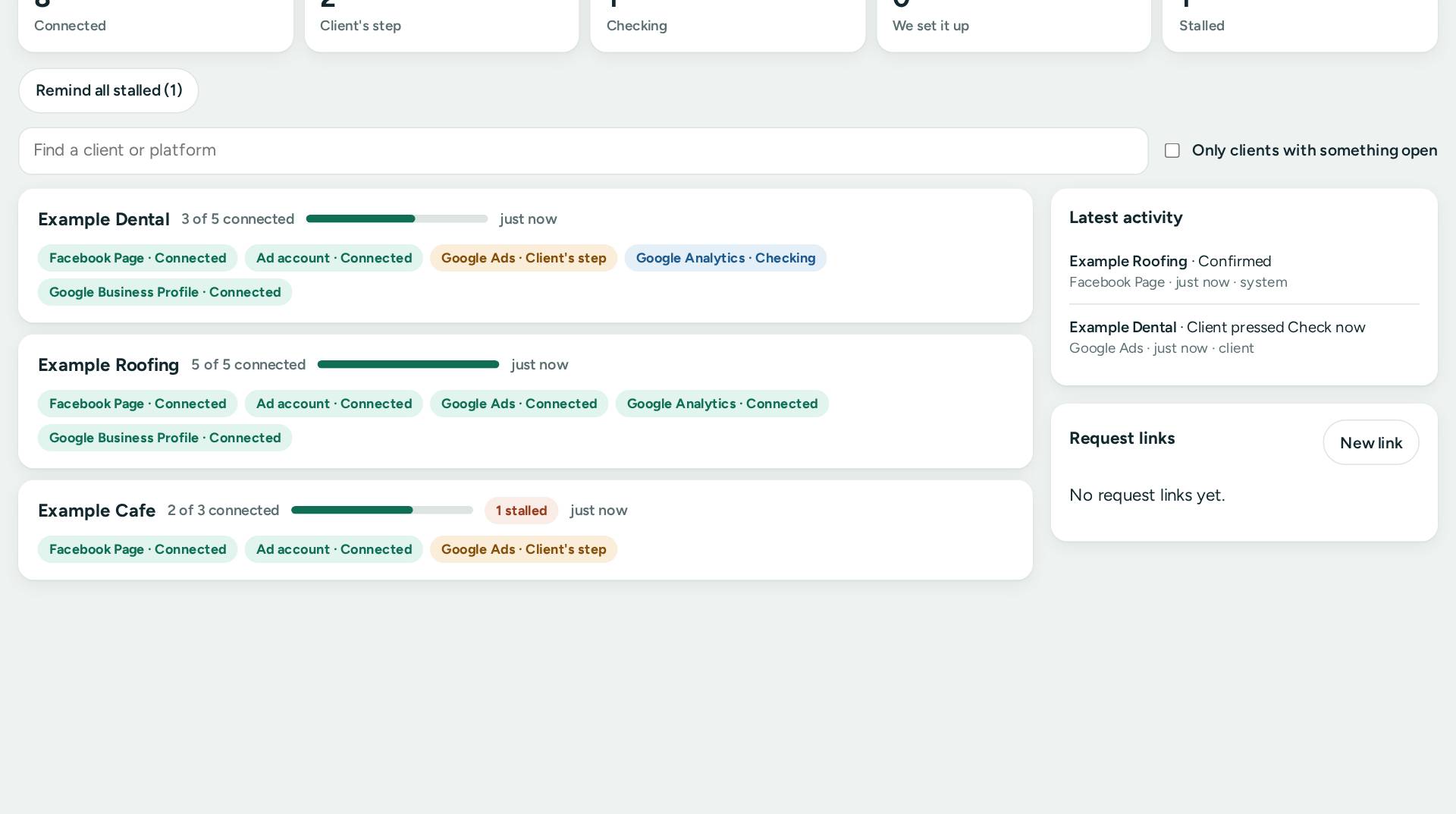
Type your agency name, pick a color and add a logo. It stays on this page. Nothing is saved or sent.
Each client gets their own steps, in order, on any phone or computer.
See what is connected and what still needs your client, without asking.
Clients sign your agreement on the page. You countersign from your side.
Pages, emails, agreements and chat carry your name, logo and colors.
A client stuck on a step can send it to whoever runs that account.
Clients add you from their own accounts and choose what you can reach.
Every platform has its own guided steps for your client. Tap one to see it light up. This is a demo; nothing connects here.
Yours not here? Tell us and we will work it out with you.
Some platforms have no partner link, so your client adds you by hand. Their step says exactly where. These are the words from the real step pages.
One credit is one new client. That covers their agreement, questions, every account and their portal. Try it free for 7 days with 2 credits.
5 new clients a month
Extra clients $15 each
15 new clients a month
Extra clients $9 each
60 new clients a month
Extra clients $5 each
Card required for the trial. You pay nothing if you cancel before day 7. Existing clients never use another credit.
List prices from each company's own pricing page, monthly billing, read on 2 November 2026. Prices change; check theirs before you decide.
| What | Lux Onboarding | Leadsie | AgencyAccess | AuthHub | Digitalsero |
|---|---|---|---|---|---|
| Entry plan, a month | $49 | $59 | $44 | $29 | $19 |
| New clients at that price | 5 a month | 3 a month | 5 a month | 3 a month | 2 a month |
| Your brand on client pages | Every plan | From $129 a month | Logo at $44; full branding from $99 | From $49 a month | From $49 a month |
| Free trial | 7 days, card required | 14 days, no card | 30 days, no card | 14 days, no card | 14 days |
Leadsie's help pages list which platforms it connects automatically (Meta, Google, TikTok, Microsoft) and which take steps by hand. Here, today, every platform is a guided step your client does inside their own account; one-click connect for Meta and Google is being built. Lux Onboarding is made by BEM Solutions; the other tools are not connected to us.
We would rather show you the real list than a promise.
Your client adds you from inside their own account. Nobody asks for a password, and they can remove you at any time.
They see your name, logo and colors on their pages, emails, agreements and chat. Two things stay the same: the address is client.bem.solutions, and the assistant in the portal is called Lux.
No. For each platform your client adds you from inside their own account. The steps show them where.
Not yet. Agreements and account access work today. Payment into your own Stripe account is being built.
No. Everything opens in their browser, on a phone or computer.
About 5 minutes to start. Connecting accounts depends on how many they have, and they can come back to their page at any time.
Plans start at $49 a month with a 7-day free trial. See Pricing above. Each plan includes a set number of new clients.
Yes. Their accounts stay theirs, and they can remove you from inside each platform at any time.
Sí. Las páginas donde sus clientes conectan sus cuentas están disponibles en español.
Tell us about your agency. We set up your account and reply by email.
Your agency sent you a private link. Open it, or enter your code here.
Already set up? Client log in or agency log in. Prefer a person? Email [email protected].